
Buyer’s guide
How to Choose Dental Software
Choose dental software with a workflow-based shortlist, scripted demonstrations, written evidence and a complete cost comparison.
At a glance
To choose dental software, define your essential workflows, test each shortlisted product against the same scenarios, verify migration and integration requirements, and compare the full cost. Keep released functions separate from add-ons and future promises.
Evaluation guidance from the DentalSoftware.online team. See what our private prototype currently supports.
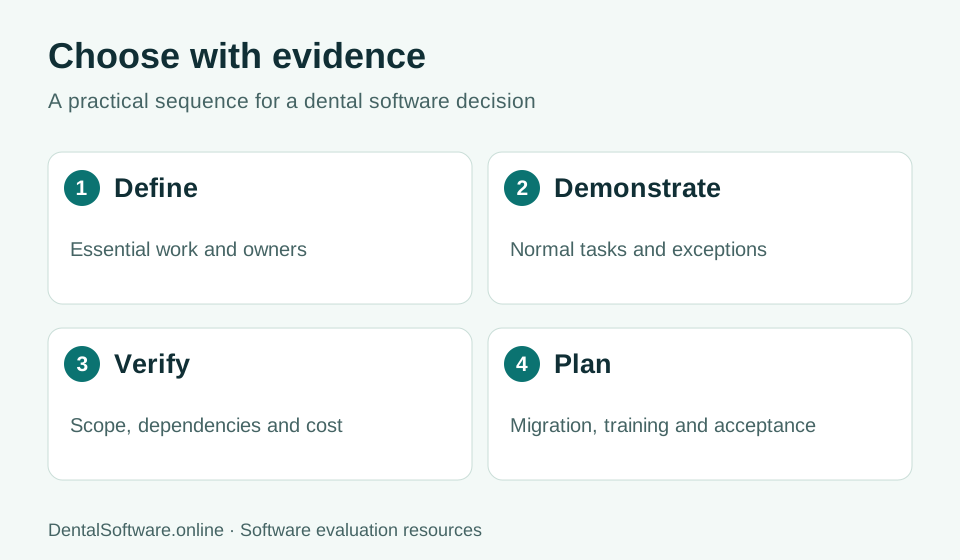
- Define the work your team needs to do.
- Demonstrate normal tasks and exceptions.
- Verify written scope, costs and dependencies.
- Plan migration, training and acceptance.
1. Build a short requirements brief
Ask reception, clinicians and the business team to describe the work that causes repeated delays or errors. Turn each problem into an observable scenario: move a two-part appointment, amend a note or trace an unpaid claim. Rank requirements as essential for go-live, desirable or optional. Do not let a long feature catalogue determine the shortlist before the team agrees on its needs.
2. Use a consistent demonstration script
Give each vendor the same fictional case and ask your staff to follow the steps. Include a normal visit and at least two exceptions, such as a provider absence or an interrupted payment. Record what was demonstrated, what needs a separate supplier and what remains unconfirmed. Ask for a follow-up answer when a presenter cannot show a critical requirement.
3. Verify the transition and exit
Request a sample export, a field-mapping specification and a reconciliation plan. Discuss how the team will retain access to unsupported historical data. Before signing, ask about termination notice, export formats, assistance and charges. A system that is straightforward to enter should also have a documented route for leaving.
4. Compare evidence and cost together
Use the same provider count, locations, modules and currency in every proposal. Include implementation, migration, training, support and connected services. A low subscription price does not resolve an unsupported essential workflow. Keep a written decision record that identifies accepted gaps, responsible owners and the conditions that must be met before launch.
| Score | Meaning |
|---|---|
| 0 | Not demonstrated or unsupported |
| 1 | Requires manual workaround or unverified dependency |
| 2 | Demonstrated with a documented limitation |
| 3 | Demonstrated and supported by written scope |
Common questions
Should the cheapest dental software win?
Only after essential requirements are satisfied. Compare the total cost of an equivalent working setup, including services needed outside the core subscription.
How many products should we evaluate?
Choose a manageable shortlist that meets your non-negotiable requirements. The quality of the demonstrations and evidence matters more than a fixed number of vendors.