
Dental software guide
Dental Data Migration: 5 Red Flags
Recognize dental migration risks before go-live: unclear scope, missing files, weak validation, unresolved exceptions and absent rollback criteria.
At a glance
Five migration warning signs deserve attention before a practice changes systems: an undefined export, no attachment inventory, validation based only on row counts, unowned exceptions and no cutover recovery plan. These are planning checks, not evidence that a particular vendor will fail.
Evaluation guidance from the DentalSoftware.online team. See what our private prototype currently supports.
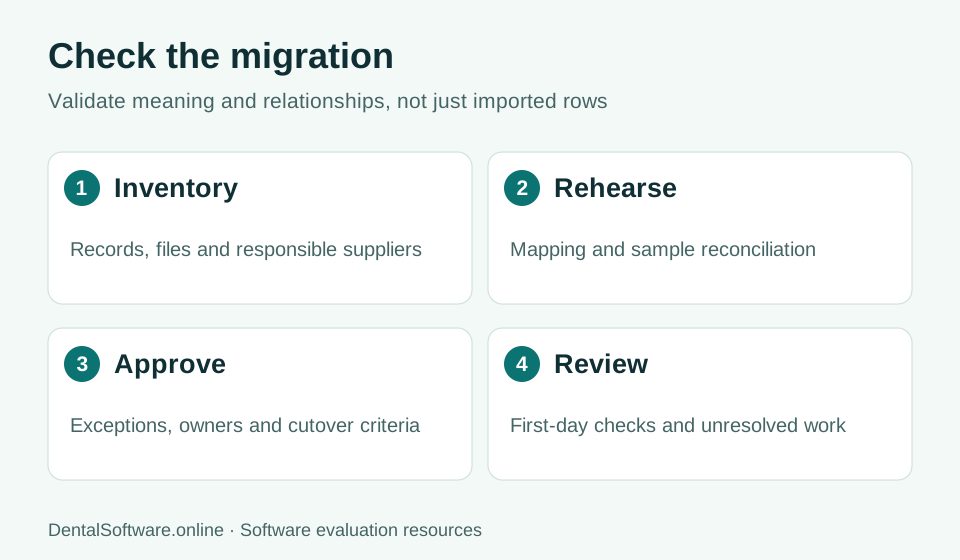
- Inventory records and map fields.
- Rehearse the move and reconcile records.
- Approve exceptions before cutover.
- Review unresolved work after the transition.
An export without an inventory
Ask exactly which record types and files are included. A spreadsheet of demographics does not establish preservation of clinical history, appointments, images or balances. Identify which suppliers control each part of the data and who is authorized to request it.
A rehearsal without meaningful validation
A successful import or matching patient count can conceal missing relationships and unusable attachments. Open representative histories, check identifiers and compare agreed control totals. Have the responsible practice reviewers approve the evidence relevant to their roles.
An exception list without owners
Record every unsupported field, inconsistent value and unresolved relationship. Assign a reviewer and an acceptance decision. A deadline does not make an exception disappear; it should remain visible when the team decides whether to continue, defer or retain legacy access.
A cutover without recovery criteria
Agree on the final extraction time, permitted changes, support coverage and conditions for stopping the launch. Rehearse how the practice will reconcile activity recorded during a transition. Our dental prototype has no released production migration service, so any early-access discussion must use fictional data.