
Dental scheduling software
Dental Scheduling Software
Explore dental scheduling software for clinicians, rooms and patient appointments. Review conflict checks, visit statuses, recalls and the current prototype.
At a glance
Dental scheduling software helps a practice coordinate patients, appointment times, clinicians and operatories. A practical evaluation should test overlapping bookings, schedule changes, visit status and recall follow-up, using the rules your practice actually follows.
Private prototype for fictional data: practice workflows, role-scoped staff web tools and optional website previews. Implemented does not mean clinically accepted. Tester access, native apps, live integrations and clinical readiness remain unverified.
See implemented features and remaining release gates →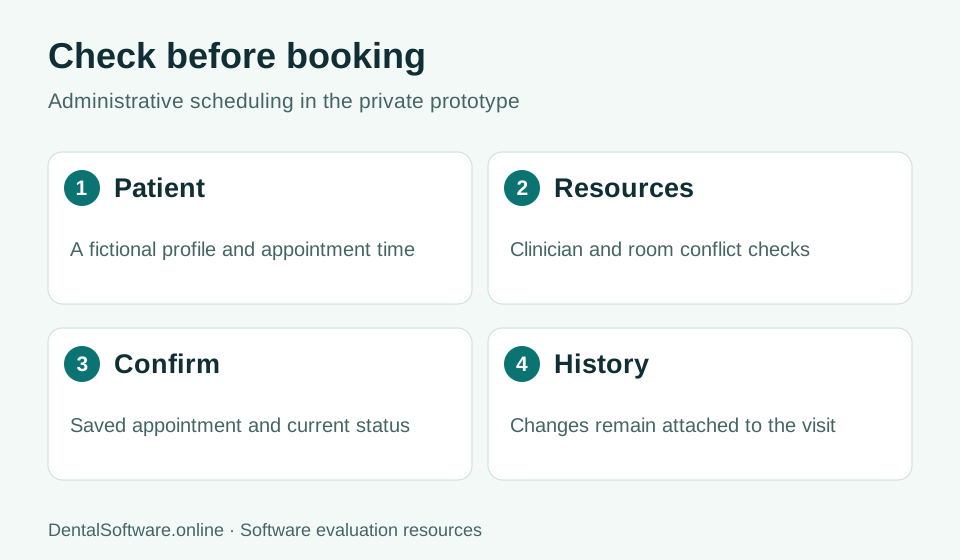
- Select the patient and appointment time.
- Check clinician and room overlap.
- Save the appointment and confirm its status.
- Retain history when a visit changes.
Match an appointment to people, place and time
A booking needs more than a patient name and a start time. Check how the system handles duration, appointment type, provider and room. Confirm which resources are shared and how conflicts are reported before reception saves a visit. Rules should also cover changes to an existing appointment.
Keep the front desk and care team aligned
A schedule is more useful when staff can distinguish confirmed patients, checked-in arrivals, completed visits, cancellations and no-shows. Ask who can change each status and what history remains. During evaluation, have two people update the same visit to check whether one change can silently overwrite another.
Connect recalls to patient follow-up
Recall work should identify patients due for follow-up and make their relevant visit history easy to find. Compare how systems store the next recall date, record outreach and show whether an appointment was booked. Automated messaging and patient self-booking are separate capabilities that need their own demonstration.
Try the scheduling prototype
The private dental workspace supports saved appointments, daily date navigation, clinician filtering, appointment editing, room/provider/patient overlap checks and visit-status changes. Patient profiles include recall dates and intake progress. Automated reminders, online patient booking, configurable clinician availability and family appointments are not yet implemented.
Common questions
Does the current scheduler prevent double-booking?
The prototype checks overlapping visits for the same patient, clinician or room. Concurrent booking attempts and adjacent time slots were included in local workflow tests.
Does cancelling a visit remove its history?
No. A cancelled appointment remains in the patient history, and its slot becomes available for a new booking.
Can patients self-book online?
Not yet. The current booking workflow is inside the private workspace. Public patient booking is planned.