
Dental practice management software
Dental Practice Management Software
Understand dental practice management software, compare essential workflows and plan implementation. Explore scheduling, records, billing and patient communication.
At a glance
Dental practice management software organizes the administrative and clinical workflows of a dental practice. Common areas include scheduling, patient records, treatment planning, billing, communication and reporting. The exact capabilities and integrations vary by product.
Private prototype for fictional data: practice workflows, role-scoped staff web tools and optional website previews. Implemented does not mean clinically accepted. Tester access, native apps, live integrations and clinical readiness remain unverified.
See implemented features and remaining release gates →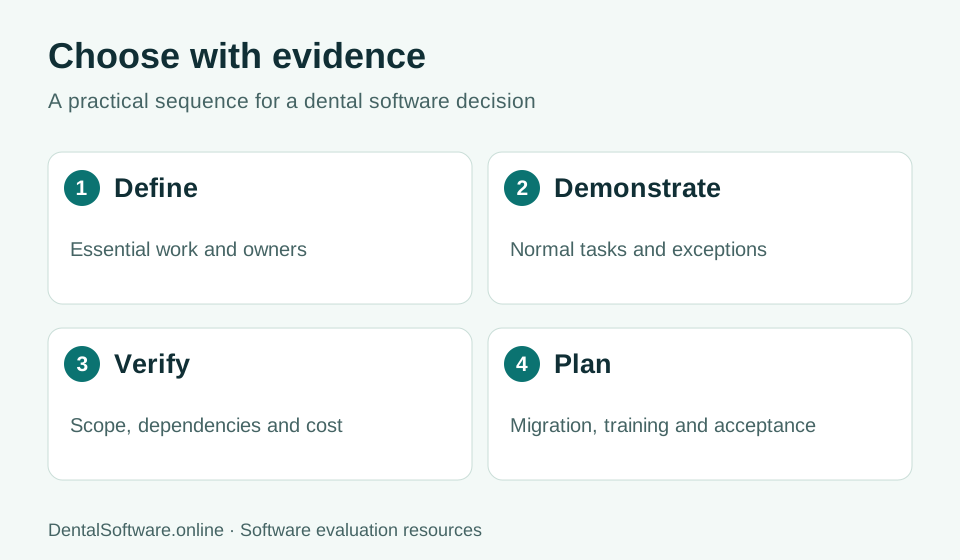
- Define the work your team needs to do.
- Demonstrate normal tasks and exceptions.
- Verify written scope, costs and dependencies.
- Plan migration, training and acceptance.
Connect the work around each patient
A useful practice-management workflow links the appointment to the patient profile and the next administrative task. Reception should be able to see whether a visit is confirmed, whether intake needs attention and what follow-up remains. Clinical and financial functions require their own detailed evaluation; a single dashboard does not demonstrate that every underlying workflow is complete.
Build a shortlist from essential requirements
Separate requirements that are needed on the first day from improvements that can wait. For each requirement, record the responsible team, a realistic scenario and the evidence you need from a vendor. A demonstration of rescheduling two linked appointments is more informative than a general promise of flexible scheduling.
Test a full practice day
Start with appointment creation and continue through check-in, documentation, checkout and recall. Test interruptions too: a clinician is unavailable, two users edit the same record, a patient cancels, or an integration does not respond. Record how the software reports problems and how staff recover their work.
Plan migration as a separate workstream
Identify which demographics, appointments, documents, clinical history and financial records must move. Ask for sample exports, a mapping specification and a test import. Assign clinic reviewers to reconcile record counts and representative patient histories before any future go-live decision.
Understand the current prototype
DentalSoftware.online currently has a private prototype for saved patient profiles, appointment management, intake-progress tracking, recalls and activity history. Dental charting, treatment planning, billing, insurance integrations and shared staff access are not yet complete. Public feature guides describe the evaluation criteria and product roadmap, not a promise that every capability is available today.
Practical checklist
- Daily scheduling and patient-record scenarios
- Clinical documentation and treatment requirements
- Billing, claims and integration dependencies
- Role permissions and data-export requirements
- Migration, training and implementation scope
Common questions
Is dental practice management software the same as dental scheduling software?
Scheduling is one component. A broader practice-management system may also support patient records, treatment plans, billing, communication and reporting; verify each function separately.
How should we compare dental software costs?
Compare itemized proposals using the same number of providers, locations and required modules. Include setup, migration, training, support and third-party charges.
Can we review the current development version?
You can request early access. The prototype is private, uses fictional patients and is not ready for clinical use.